Trading Accounts / Simulation
Simulation Account
To Create or Manage simulation account,
- In Deepchart Platform, open General Settings by going to Options > Settings
- Open Sim Account
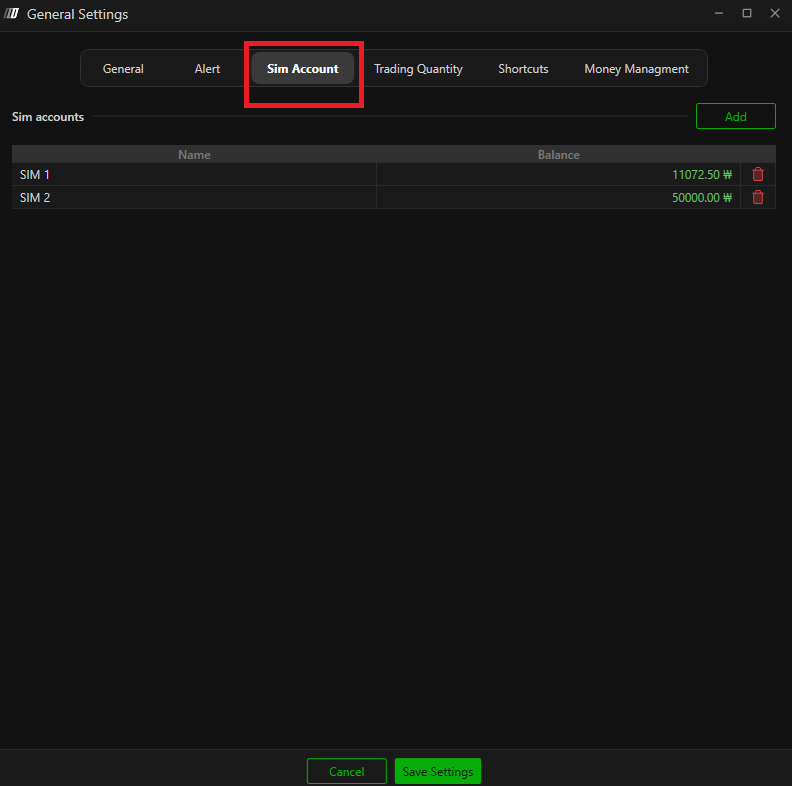
- To Create a new Simulation Account, click Add
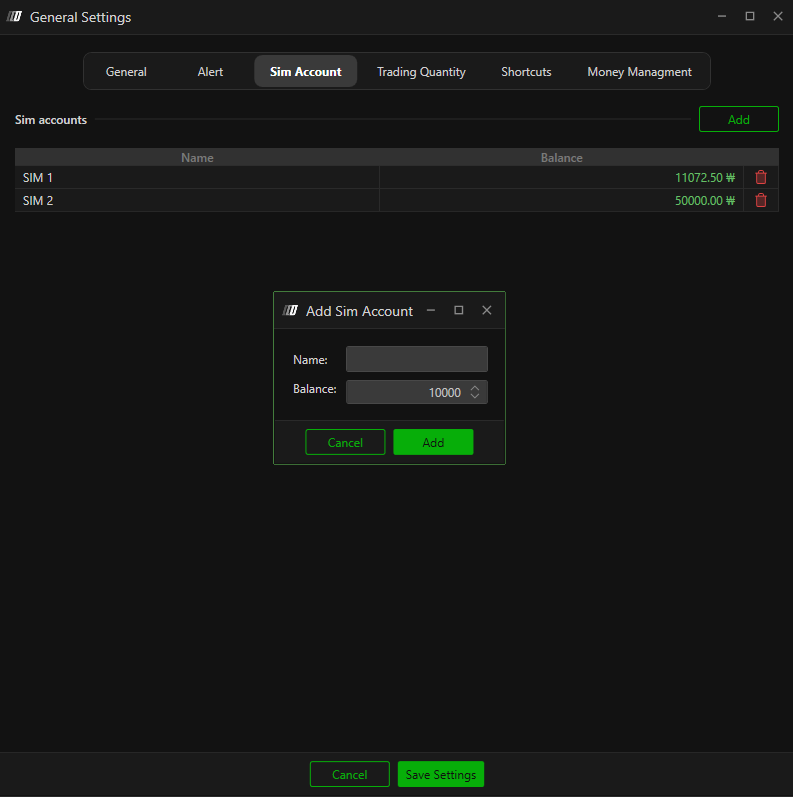
- You can set Name to any name you prefer.
- You can set Balance to any balance you prefer
- To Delete an existing Simulation Account, you can simply click on the recycle bin icon on the same row as the simulation account you wish to remove.
- After performing your desired actions, press Save Settings
To Use Simulation Account in Trade
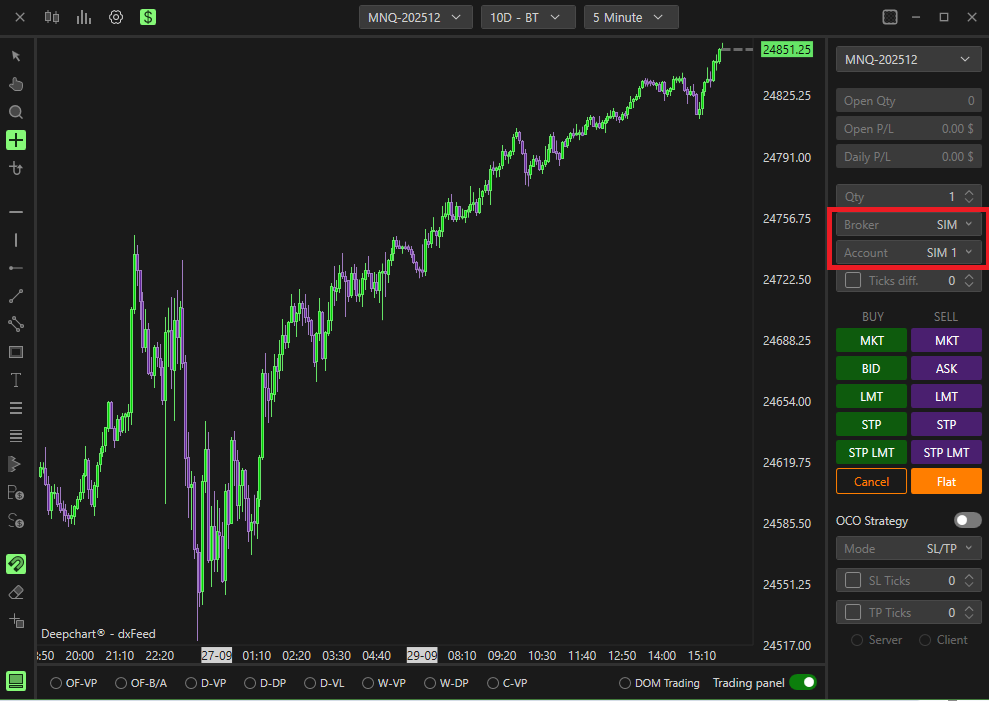
- When in Trade Panel,
- Set Broker to SIM
- Select your Account to your desired simulation account
Connecting to Broker Account
- Check that you have purchased the data feed we provide (ex. DxFeed, Rithmic). Acquire the username and password the broker provides.
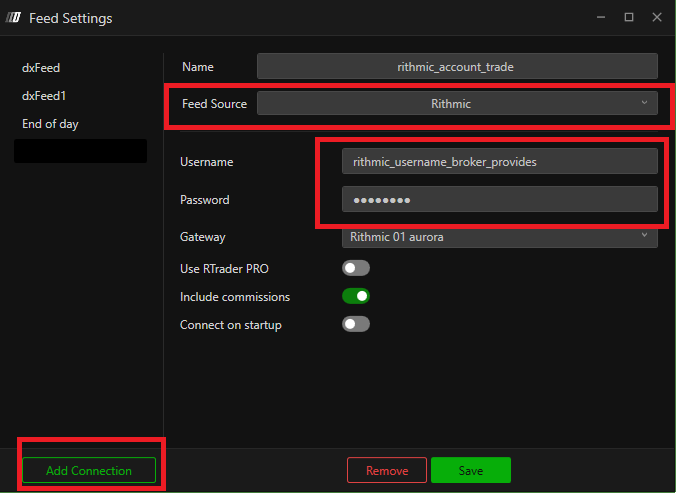
- Create a new data feed profile.

- Make a new Connection, name the data feed profile to your preference, select the Feed Source to the purchased data feed, enter the username and password the broker provided you, and Save
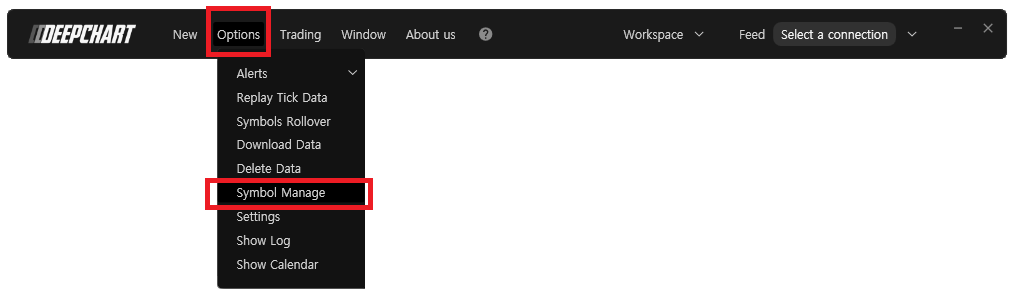
- Make sure in the Symbol Manage the correct data feed is set for your desired exchange to trade.
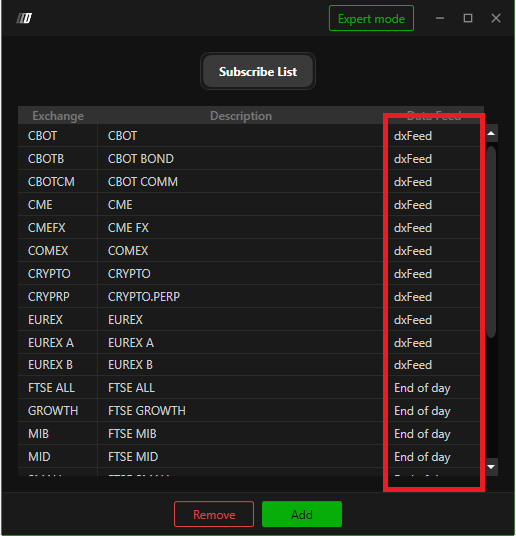
- Connect to the data feed profile you have created.
- Open a new chart and open the Trading Panel.
- Select the Broker and your Account
Related Articles
Trading from the Chart
Trading Features & Settings in DeepCharts allows you to trade directly from the chart, manage orders, and customize your trading panel. This guide covers everything you need to know to set up and use trading from your chart. Enable Trading To enable ...
Portfolio (Wallet)
Portfolio To open the Portfolio: Click on the Trading menu in DeepCharts. Select Show Portfolio. Overview The Portfolio displays: Connected Brokers and their accounts Sales Daily P/L (Profit & Loss) Open P/L (current positions) This section allows ...
How to Setup DeepCharts Trade Copier
What is Trade Copier? Trade Copier is a feature in DeepCharts that allows you to automatically replicate trades from one account (Parent) to one or more accounts (Children) in real time. This feature is designed for prop firm traders managing ...
Portfolio-Risk Manager
Risk Manager The Deepcharts Risk Manager enables traders to apply professional, automated risk controls directly within the platform. By defining strict risk management rules, traders can enforce discipline in real time. If any predefined rule is ...
DeepCharts Competition – How to Join & Connect
What is the DeepCharts Competition? The DeepCharts Competition is a skill-based trading tournament where participants trade on a simulated demo account and compete against other traders. Performance is tracked in real time on the competition ...